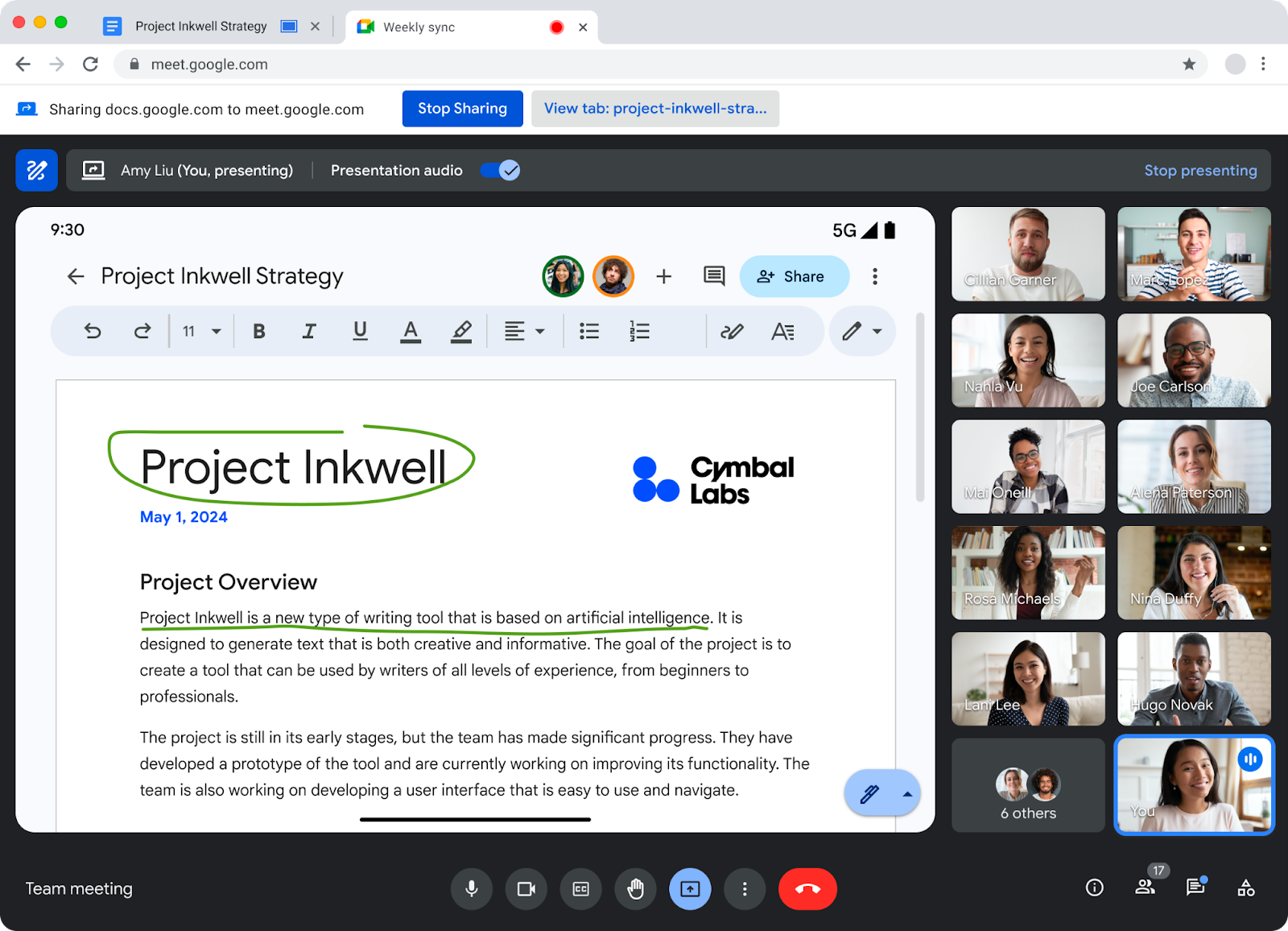
You can now use annotations to enhance your presentations in Google Meet. Presenters and their appointed co-annotators can use these tools to highlight content over their presentations.
To use annotations, just share your screen and click the annotation button at the upper left screen.
To assign a co-annotator, from the people panel or by hovering over a user’s video tile, select more options (three-dot icon) > add as co-annotator.
Availability
This feature is now available for all UNLVMail (@unlv.edu) and Rebelmail accounts (@unlv.nevada.edu).
Learn more about annotations in Google Meet.